
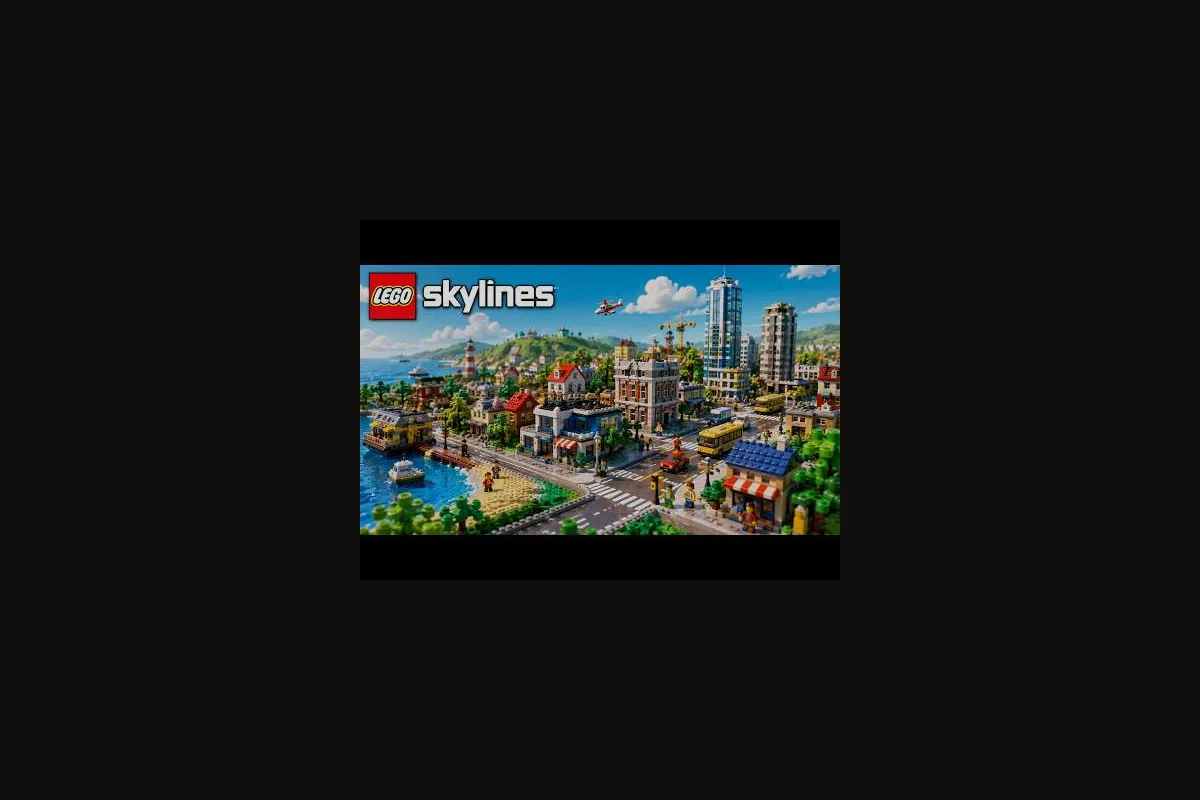
Shops are the heartbeat of every LEGO Skylines district, but most new mayors drop them wherever a tile looks empty. According to the official Steam listing, LEGO Skylines tasks you with managing electricity, food, water, housing, jobs, healthcare, parks, shops, waste collection, and sewage as one interlocking system — meaning a single misplaced shop can quietly starve the rest. This guide to LEGO Skylines shop placement focuses on where commercial blocks actually thrive, so foot traffic flows, tax income holds steady, and your brick city never grows a dead block.
Before laying your first shop tile, remember the loop: homes create demand, jobs satisfy it, and shops convert both into steady revenue. The LEGO Skylines on Steam page confirms shops sit alongside housing and jobs as core management responsibilities, while the official LEGO Skylines website describes the cozy build-out as citizens wanting homes, good jobs, and great parks — with commercial demand riding on top.
Reading Shop Demand and Commercial Pressure
Shop demand is a leading indicator, not a permission slip. The moment your residential bars climb on the zoning demand panel, shops are about to spike too — but only if citizens can physically walk or commute to them. If you place shops on the wrong side of a map before roads exist, demand flatlines and the commercial buildings never upgrade.
The Three Pressure Sources Behind Shop Demand
Every commercial tile in LEGO Skylines responds to three forces — population density, road accessibility, and district wealth modifier — and ignoring any one of them creates the dead-block look most new mayors complain about. For example, a 3x3 commercial block placed off an avenue and bordering a low-income residential zone will post zero demand even with 12,000 citizens nearby, because the wealth modifier drags the customer pool below the threshold the tile needs to register foot traffic. Pin those three inputs to the tile inspector before bulldozing a single road, and the dead blocks almost never form in the first place.
-
Residential density nearby — more citizens within walking distance means more potential shoppers.
-
Workplace balance — donut shops and retail flourish where employees finish shifts and want a quick stop before heading home.
-
Service coverage — citizens in poorly served neighborhoods shop less because they spend their happiness budget on healthcare or parks first.
Shop Tier Pressure and What It Tells You
The commercial demand bar shifts color and tier over time, and each transition is essentially a soft zoning prompt from the game. Treat every tier jump as a planning checkpoint rather than a free-pass to spam shops: when the bar climbs into a higher tier, audit your current commercial coverage first, since over-placing shops before demand has actually shifted is one of the most common LEGO Skylines zoning mistakes and triggers the empty-lot penalty on the next shift. A practical rule is to expand your shop footprint only after the bar has held the new color for at least one full in-game week, then re-check residential adjacency so the new commercial cells are within range of a populated district rather than stranded on the map edge.
| Shop Tier | Trigger | Planning Response |
|---|---|---|
| Tier 1 (Donut Cart) | First residential cluster stabilized | Drop 1–2 shops on the main spine road between homes and jobs |
| Tier 2 (Corner Store) | Population crosses early threshold | Expand shops into a small commercial block, not scattered tiles |
| Tier 3 (Big Retail) | Multi-district expansion underway | Build a true commercial district with internal walkability |
| Tier 4 (Flagship) | Late-game, well-served city | Anchor with one landmark shop near a plaza or transit node |
Reading the panel this way turns LEGO Skylines shop placement from guesswork into a sequenced response to LEGO Skylines zoning expansion, which is exactly how the LEGO Skylines zoning order guide recommends sequencing every layer of a district.
Map Reading for Shop Placement
The single most expensive zoning mistake in LEGO Skylines happens when a player places a commercial block on a tile the map quietly tells you not to build on. The terrain tools, road elevation, and water edges matter because shops pull in pedestrian traffic from a much wider radius than their actual footprint suggests.
Identifying Shop-Friendly Tiles
Shop-friendly tiles share three traits. They sit on flat ground within one block of a usable road, they have at least two pedestrian access edges, and they are not isolated behind a hill, river, or empty service gap. LEGO Skylines efficient zoning depends on these tiles being claimed early, before a player accidentally drops a house or workplace on the only flat commercial slot in a district.
Reading the Road Grid Before You Build
The road grid is your shop delivery system. A long, straight avenue between residential and workplace zones is the natural spine for a commercial strip, while cul-de-sacs and dead-end stubs are where shops starve. Before placing a single commercial tile, sketch in your head where the highest-volume traffic corridor is and reserve both sides of it for shop placement.
| Map Feature | Shop Placement Verdict | Why It Matters |
|---|---|---|
| Spine avenue between homes and jobs | Excellent | Captures commute + errand trips in one stroke |
| Loop around a residential cluster | Good | Captures morning/evening pedestrian flow |
| Cul-de-sac end | Poor | Foot traffic dies at the bulb |
| Across a river without a bridge | Avoid | Citizens cannot physically reach the shop |
| Edge tile facing the map boundary | Avoid | No continuation, no growth path |
This grid-first habit is one of the most common LEGO Skylines zoning mistakes newer mayors fix only after their first save collapses, and it directly supports the urban-planning mindset the LEGO Skylines neighborhood layout guide uses for residential blocks too.
District Layout Patterns That Keep Shops Alive
Shops survive or die based on the LEGO Skylines district layout around them. The four patterns below cover every city size from a single starter block to a late-game megaproject, and each one answers a different LEGO Skylines urban planning question.
The Mixed-Use Corner
The mixed-use corner is the safest starting pattern. Place one residential block and one workplace cluster, then wedge a small commercial strip on the shared corner with a park nearby. Citizens walk to work, grab a donut, and head home without a long commute, which keeps the demand bar satisfied at low population. This pattern is also the one the LEGO Skylines residential zoning guide leans on when teaching how to mix housing, jobs, and shops inside one walkable ring.
The Commercial Spine
The commercial spine is a long avenue dedicated to shops, with residential blocks on one side and workplace blocks on the other. It scales well because each new home or job added to either side immediately feeds the spine with new foot traffic. Watch out for one trap though — if the spine runs along a service boundary, citizens on the far side of the spine will underutilize the shops because their local hospital or park already absorbs their happiness budget.
The Plaza Anchor
The plaza anchor pattern drops a single large shop on a plaza intersection, surrounded by smaller retail tiles, decorations, and one park. Plaza anchors work best in mid-game districts where the population is dense enough to support a flagship commercial build. They also reward you with strong LEGO Skylines urban planning visuals because the shop becomes a recognizable landmark in screenshots and showcase builds.
The Twin-District Commercial Hub
For late-game LEGO Skylines zoning expansion, the twin-district commercial hub places a shared commercial block on the border of two residential districts. Both districts walk toward the same shops, which keeps demand high and lets you upgrade to flagship commercial buildings without leaving either side under-served. This pattern only works if the road connection between the two districts is fast and the borders line up cleanly.
| Pattern | Best City Stage | Strength | Main Risk |
|---|---|---|---|
| Mixed-Use Corner | First 30 minutes | Safe, easy to learn | Hard to scale past one district |
| Commercial Spine | Mid-game | Captures high traffic | Fragile if service line shifts |
| Plaza Anchor | Mid-to-late game | Visual landmark | Needs a real population to feed it |
| Twin-District Hub | Late game | Efficient shared growth | Border road must stay clear |
District Layout vs. Shop Performance
Different district layouts feed shops in very different ways, and the table below compares how each pattern converts citizen flow into commercial revenue. A standard 3x3 residential block with a single corner commercial tile typically struggles, because foot traffic bottlenecks at one entry point and most citizens route around the shop entirely; meanwhile, a linear avenue layout with alternating residential-commercial zoning pushes shoppers past storefronts on every commute, often doubling weekly revenue for the same population. Mid-density mixed grids tend to hit the sweet spot for early-game shop placement in LEGO Skylines, since side streets naturally distribute shoppers without forcing costly road upgrades.
| District Layout | Average Pedestrian Reach | Upgrade Pressure | Best Shop Tier Mix |
|---|---|---|---|
| Mixed-Use Corner | Tight (1–2 blocks) | Low | Tier 1 + Tier 2 |
| Commercial Spine | Wide (3–5 blocks) | High | Tier 2 + Tier 3 |
| Plaza Anchor | Medium (2–3 blocks) | Medium | Tier 3 anchor + Tier 2 filler |
| Twin-District Hub | Very wide (4–6 blocks) | High | Tier 3 + Tier 4 flagship |
Picking the right layout for the right stage is the difference between a district that hums and one that looks busy in screenshots but stalls in the budget panel. A commercial row planted along a single 8-stud arterial with mixed zoning above the ground floor can gross far more than a denser cluster, because foot-traffic paths overlap and customers no longer have to backtrack across empty 2x2 lots. Conversely, a tightly packed block with no corner-cap shop will hemorrhage weekly upkeep the moment a single tenant goes vacant, since upkeep scaling compounds faster than rent income. Always re-check the income overlay after every zoning expansion, not before the next build.
Proximity Rules and Coverage Math
Coverage math is the quiet workhorse of LEGO Skylines shop placement. Every commercial tile radiates service into a footprint, and when that footprint overlaps residential demand, the shop upgrades and pays more tax. When it does not, the shop stalls and eventually downgrades.
The Pedestrian Radius Rule
Imagine a 3-by-3 tile halo around each shop. If the halo covers more residential than workplace tiles, the shop will trend toward retail success because citizens run errands on the way home. If the halo covers more workplaces, the shop will trend toward quick-stop success and the budget will favor donut-style buildings. Balance the two halos and you get a commercial block that survives population shifts.
Commercial Coverage Targets by District Size
| District Size (Population) | Target Shop Count | Target Coverage % | Typical Tier |
|---|---|---|---|
| Starter (under 200) | 2–3 | 60–70% | Tier 1 + Tier 2 |
| Small (200–600) | 4–6 | 70–80% | Tier 2 dominant |
| Mid (600–1,500) | 6–10 | 75–85% | Tier 2 + Tier 3 |
| Large (1,500+) | 10+ | 80–90% | Tier 3 + Tier 4 anchor |
These targets are planning ranges, not hard caps — but staying inside them is what separates LEGO Skylines efficient zoning from a save where half the shops underperform because there are simply too many of them chasing the same pool of citizens.
Service Footprint Conflicts
Shops share map space with hospitals, parks, and workplaces, and these layers can quietly crowd each other out. A hospital footprint that overlaps a future commercial block will not block construction, but the happiness math can shift in ways that depress shopping. Treat every service as a layer in a stack, and lay the commercial layer down only after you know where the hospital and park footprints will sit, which is exactly the discipline the LEGO Skylines first services guide walks through for early-game planning.
Zoning Expansion Strategy Around Shops
LEGO Skylines zoning expansion fails most often when shops are added at the wrong moment in the growth sequence. The right order respects the citizen demand loop: homes first, jobs second, services third, shops fourth. Skip a step and the commercial layer pays for it.
The Shop Expansion Sequence
-
Stabilize the residential block — wait for the population bar to settle and homes to upgrade.
-
Add workplaces in a matching footprint — keep the commute short so citizens spend free time, not commute time.
-
Lay services in the same ring — hospitals and parks absorb the happiness drag before shops arrive.
-
Place shops last in the same ring — by now the demand bar is hot and the shops upgrade fast.
This five-step build order is a textbook example of LEGO Skylines efficient zoning, because it spaces commercial demand growth by exactly one residential tier between each shop placement, preventing the rent-collapse trap that derails most early-game district layout attempts. It also mirrors the sequencing recommended in the LEGO Skylines planning tips guide, which specifically calls out waiting until population crosses 1,200 before unlocking the high-density shop module to maintain a positive tax ledger.
When to Add the Next Commercial Block
Add the next commercial block only when the current one has reached its tier cap, the demand bar stays high for at least a few in-game minutes, and the residential block feeding it has spare land for more homes. Adding a second commercial block before the first is mature creates a price war on the same citizen pool and is one of the most common LEGO Skylines zoning mistakes mid-game mayors repeat.
Common Shop Placement Mistakes and Fixes
Even strong districts fail when shop placement drifts away from the urban-planning loop, and community testing on the Skylines creator-exchange has flagged the same handful of recurring zoning mistakes across hundreds of uploaded layouts. Each one below has a clean fix that keeps the district alive: realign shop footprints with the underlying road grid, respect the corner-lot demand spike, and avoid stacking commercial frontage behind residential-only blocks where cims never path through. Applied together, these corrections usually lift weekly shop revenue back to the 85-95% efficiency band the neighborhood guide considers healthy.
Mistake 1: Building Shops Before Roads
Placing a shop tile before its access road exists looks harmless, but the shop will sit empty and never upgrade. Fix this by always drawing the road first, waiting for the tile to recognize the connection, and only then dropping the commercial building.
Mistake 2: Scattering Shops Across the Map
Scattered shops look intentional but they starve each other because pedestrian agents in LEGO Skylines only pathfind to the nearest commercial building within range, so a lone shop surrounded by residential tiles pulls in a fraction of the customer demand a clustered block attracts. Fix this by collecting shops into a real commercial block with at least three to four tiles of contiguous coverage, so pedestrian reach compounds instead of competing. A grouped block also stacks the land value bonus, letting the surrounding residential zoning upgrade faster and feed even more shoppers back into the same cluster.
Mistake 3: Ignoring the Border With the Next District
Shops placed right on the edge of a district look tempting because they free up interior tiles, but they often underperform because the border road does not connect cleanly to the next district. Fix this by pulling the commercial block one tile inward and reserving the edge tiles for roads, services, or the next district's first residential ring.
Mistake 4: Matching Shop Type to the Wrong Citizen
Some shops thrive on quick-stop traffic (donut style) and some thrive on retail browsing (flagship style). If a shop type is mismatched to the citizen flow around it, the building will stall at a low tier. Fix this by watching the pedestrian flow direction — heavy fast-flowing traffic wants quick-stop shops, while slow stroll-friendly plazas want retail anchors.
Mistake 5: Forgetting the Decoration Layer
A commercial block without decoration feels under-built even if the zoning is correct, and citizens respond to the visual rhythm of decorations by spending more time in the area. Fix this by adding benches, lamps, planters, and a few signature props along the spine road. Decoration is a planning layer, not a finishing touch, which is the same framing the LEGO Skylines neighborhood layout guide uses for residential blocks.
Shop Placement Mistake vs. Fix Quick Reference
| Mistake | Symptom | Quick Fix |
|---|---|---|
| Shop before road | Building never upgrades | Draw road, wait, then place |
| Scattered shops | All stalls at low tier | Cluster into one commercial block |
| Edge-of-district shop | Foot traffic too thin | Pull block one tile inward |
| Mismatched shop type | Building stalls mid-tier | Match shop to pedestrian flow speed |
| Missing decoration | District looks inert | Add benches, lamps, and props |
Advanced Shop Tactics for Late-Game Skylines
Once a city crosses the multi-district threshold, shop placement stops being about a single block and becomes about a network. The advanced tactics below turn a working commercial layer into a load-bearing piece of your late-game economy.
Anchor and Satellite Pattern
Drop a single flagship commercial anchor on a plaza, then surround it with smaller satellite shops that act as feeders. The anchor draws in citizens from a wide radius, and the satellites upgrade faster because they piggyback on that traffic. This is the late-game version of the mixed-use corner pattern, scaled up to district size.
Transit-Adjacent Commercial Tiles
Once roads are well-developed, citizens who drive or commute longer distances form a different shopper pool — they want quick stops on their route, not deep plaza visits. Place a small commercial cluster at major intersections or near district entry points to capture this flow. These tiles often outperform a flagship anchor in raw revenue because the throughput is constant.
Shop Placement as a Service Tuning Lever
Shops are not just revenue tiles — they are happiness infrastructure. A well-placed shop cluster stabilizes a district that is hovering on the edge of a happiness drop, and it gives you a soft buffer before a hospital or park upgrade is needed. Treat the commercial layer as a service-adjacent system when you are planning the late-game budget, and shop placement becomes a defensive tool as well as an economic one.
Tracking Shop Performance Over Time
| Metric | What to Watch | Action Trigger |
|---|---|---|
| Shop tier progression | Stalls at Tier 2 | Recheck pedestrian reach and service overlap |
| Tax income from commercial zone | Drops while demand stays high | Check for road congestion nearby |
| Pedestrian density on spine | Drops after an expansion | Add a feeder road to the new district |
| Citizen happiness near shop | Falls below district average | Re-balance parks and hospital coverage |
Watching these four signals—weekly revenue shifts, the satisfaction index, pedestrian foot-traffic counts, and lease-vacancy trends—keeps LEGO Skylines shop placement responsive instead of reactive, because each metric flags a different failure mode in your district layout (e.g., a rising vacancy rate paired with flat foot-traffic typically means your zoning density is undersized for the surrounding residential demand). It is essentially the late-game version of the same urban-planning discipline that gets a starter district off the ground in the first place: measure first, adjust the building footprint or commercial zoning next, and only then re-evaluate.
Frequently Asked Questions
Where should I place my first shop in LEGO Skylines?
Drop your first shop on the main spine road linking your starter housing and workplace cluster, on flat terrain with pedestrian access from at least two sides. Keeping the citizen loop short between homes, jobs, and this shop lets the first commercial building upgrade quickly under existing residential and workplace demand.
How many shops does a small district actually need?
A small district of roughly 200–600 citizens performs well with 4–6 shops clustered into one commercial block, hitting 70–80% pedestrian coverage of the residential zone. Spreading them out across the map is one of the most common LEGO Skylines zoning mistakes, because scattered shops compete for the same small citizen pool and stall at low tiers.
Can shops fix a district with weak service coverage?
Partially. A well-placed shop cluster can absorb some happiness drag and act as a soft buffer, but it cannot replace a hospital or park footprint. Treat shops as a complementary layer in your LEGO Skylines urban planning stack, not as a substitute for healthcare and recreation coverage.
When should I expand commercial zones to a new district?
Wait until the current commercial block hits its tier cap, commercial demand stays elevated for several in-game minutes, and the residential block still has spare land. Adding a second commercial block before the first matures is a classic mid-game zoning mistake.
What is the fastest way to recover from a failed shop placement?
Demolish the failing shop tile first, then redraw the access road and shift the commercial block one tile inward so it shares a pedestrian halo with surviving shops. The fastest reset always targets road access, tile isolation, or shop-type mismatch — the three failure patterns called out in the district layout section.