
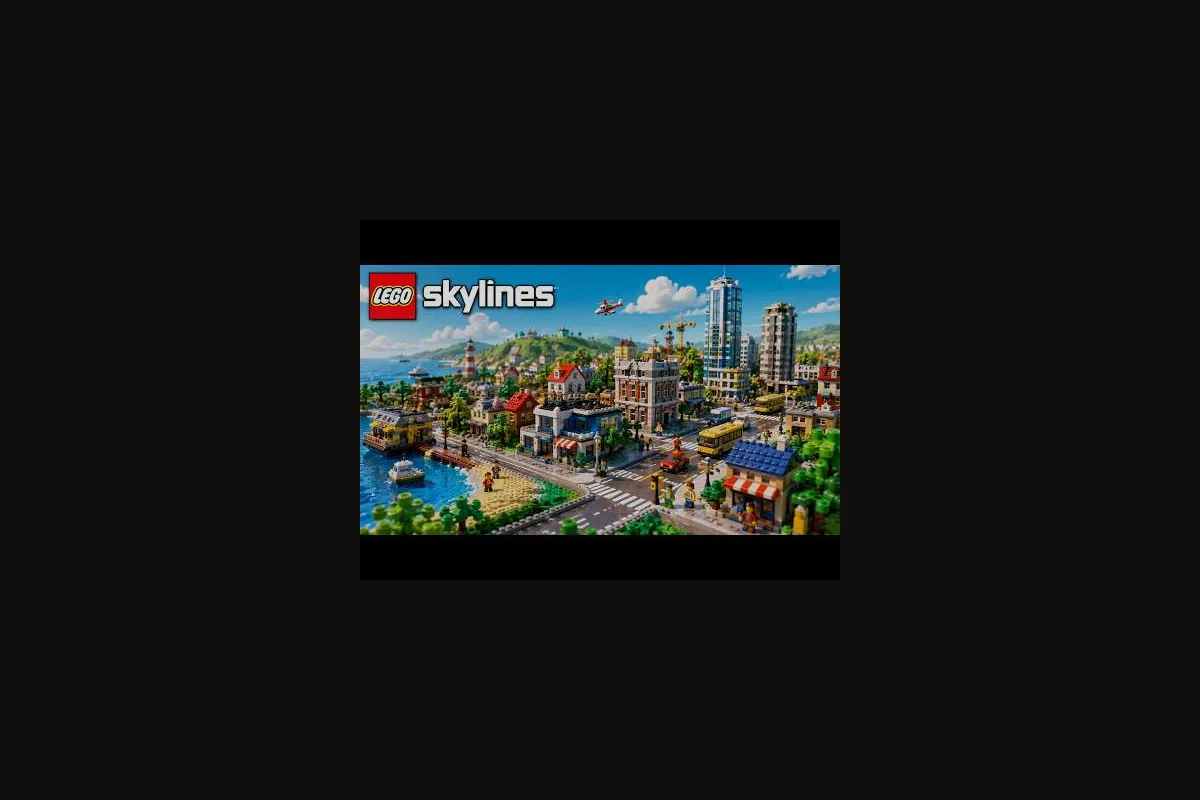
A LEGO Skylines commercial area is the bridge between where LEGO citizens live and where they earn their paychecks, and getting the zoning balance right is what stops your city from stalling in the mid-game. According to the official LEGO Skylines Steam page, the core management loop explicitly covers housing, jobs, healthcare, parks, and shops as interconnected responsibilities, so the commercial strip is not a side quest — it is the engine that keeps housing demand and job demand from pulling in opposite directions.
Why the Commercial Area Is the Zoning Balance You Cannot Skip
The fastest way to wreck a save in LEGO Skylines is to build a wall of houses on one side of the map and a wall of offices on the other, then wonder why the Job Demand meter screams red while the Housing Demand meter is already overflowing. Community planning notes published alongside the Paradox Interactive official page state that citizens want homes, good jobs, and great parks, and that zones should be placed where service networks already cover demand — which means a commercial area is really a mixed district where the two curves meet in the same walkable block.
A well-shaped commercial area does three things at once: it absorbs the jobs produced by your work area, it gives residents a reason to stay upgraded instead of abandoning the district, and it provides tax revenue that the city services budget can lean on during expensive growth phases. Skipping it produces a recognizable symptom — citizens commuting across half the map, unemployment warnings appearing in neighborhoods that visually look full, and a housing demand panel that refuses to climb because nobody wants to move into a district that has no place to work or shop.
| Zoning Pressure | What It Signals | Where the Commercial Area Helps |
|---|---|---|
| Housing demand rising, job demand falling | Too many homes, not enough workplaces | Add a work area inside the residential ring |
| Job demand rising, housing demand falling | Workplaces outpacing population | Add residential around the existing work area |
| Both demand meters low | Citizens are unhappy or services are missing | Use commercial area as a one-block revitalization seed |
| Both demand meters high | Healthy city — expand the commercial footprint outward | Mirror the existing mixed district in the next ring |
The takeaway is simple: do not treat shops and workplaces as separate categories to be sorted into separate corners of the map. Treat the commercial area as a single planning object, and let it ride the seam between your residential blocks and your industrial ring.
Reading Housing Demand and Job Demand Before You Zone
Before placing a single shop tile, pause and read the City Districts panel. The two meters you care about most are housing demand and job demand, and they speak a language that is easy to misread if you only glance at the icons. Housing demand rising means new families want to move in but there are no upgraded homes to receive them; job demand rising means workplaces exist but there is no workforce to staff them. A well-balanced commercial area produces a state where both meters hover near the middle of the bar — not pinned to either extreme.
The Three Commercial Area Archetypes
There is no single "correct" layout for a commercial area in LEGO Skylines. The shape that works for you depends on which demand meter is currently pulling hardest and what the surrounding terrain allows. Pick the archetype that matches your read of the panel, then commit to it for at least one in-game week before judging the result.
| Archetype | Best When | Shape | Risk if Misused |
|---|---|---|---|
| Shop-Forward Strip | Job demand is high, housing is stable | Linear row of shops with homes behind | Eats residential capacity if strip gets too wide |
| Work-Forward Block | Housing demand is high, jobs are scarce | Dense workplace cluster wrapped by a thin residential ring | Citizens ignore the shops if they are placed too far away |
| Balanced Mixed District | Both demand meters are near the middle | 40% shops / 40% workplaces / 20% homes woven block-by-block | Slowest to build; easy to under-zone one side |
A common beginner mistake is to default to the Shop-Forward Strip because shops look prettier in screenshots, but if your LEGO Skylines job demand is already saturated, a strip of donut shops will only deepen the imbalance. Mirror the archetype to the demand: rising job demand wants a Work-Forward Block, rising housing demand wants a thin residential ring, and a calm panel wants the Balanced Mixed District.
Sizing the Commercial Area to Population
Size matters, and a commercial area that is too small becomes a bottleneck that the rest of the city pays for. As a rule of thumb derived from community planning notes, a single commercial block can comfortably support roughly one ring of housing and one ring of workplaces before citizens start complaining about coverage. Once you cross that threshold, the right move is to clone the entire mixed district into a new area of the map rather than to stretch the original block.
| Population Milestone | Recommended Commercial Blocks | Notes |
|---|---|---|
| Under 500 citizens | 1 small mixed block | Keep shops and jobs on the same street |
| 500–1,500 citizens | 2 medium blocks | Add a transit connection between them |
| 1,500–3,000 citizens | 3+ blocks, each with a distinct flavor | One commercial area per housing ring |
| 3,000+ citizens | District-scale plan with sub-commercial areas | Treat each ring as its own small city |
If you want a deeper walkthrough of the housing side of this equation, the LEGO Skylines residential zoning guide covers how to lay plots and tune upgrades so that homes stay attractive once the commercial area is feeding them jobs. Pairing the two reads keeps the demand meters in sync instead of fighting each other.
Building a LEGO Skylines Mixed District Block by Block
The block-by-block approach is where most cities go wrong, because it is tempting to drop the entire commercial area in one click and then wonder why half the buildings look orphaned. A more reliable workflow is to lay the roads first, then place the workplaces, then weave the shops between them, and finally add a thin residential frame — the same order that the LEGO Skylines zoning order guide recommends for any district.
Step 1: Lay the Road Grid Before Anything Else
Roads are the bones of a mixed district, and placing them before you zone anything gives you a chance to correct traffic flow before buildings are locked in. A 2-lane road for the spine of the commercial area plus 1-lane side streets is usually enough for a first pass; you can always upgrade to a wider avenue later once the buildings upgrade and citizen traffic picks up. Avoid cul-de-sacs inside a commercial area because they produce dead zones that workplaces refuse to fill.
Step 2: Place the Work Area First
A work area is the higher-stakes half of a commercial area because every empty workplace is a direct hit to your tax income. Drop the work area tiles along the spine road first, leaving breathing room for trucks and delivery routes, and let the buildings upgrade before you start placing shops. The wait is worth it: upgraded workplaces pull more job demand and generate more revenue per square tile than the same space would in shops.
Step 3: Weave the Shops Into the Gaps
Once the work area starts upgrading, fill the gaps with shops. Donut shops, convenience stores, and small retail are ideal for the seams between workplaces because they pick up the lunchtime foot traffic. Avoid stacking the same shop type on top of itself; variety in the shops catalogue keeps citizens moving through the block instead of clustering on a single tile.
Step 4: Frame the Block with a Thin Residential Ring
Finally, drop a thin row of homes around the commercial area. The ring does not need to be deep — a single street of houses is enough — but it is what converts the commercial area from a job site into a true mixed district. Citizens who live in the ring will walk to work, which reduces road congestion and lifts the happiness of the entire block.
| Step | What to Place | Why This Order | What Goes Wrong if You Skip It |
|---|---|---|---|
| 1 | Roads | Lets you fix traffic before buildings lock | Buildings lock in around bad road geometry |
| 2 | Work area | High-revenue, high-stakes first | Empty shops waste zoning capacity |
| 3 | Shops | Fill the gaps workplaces leave behind | Dead zones between workplaces tank demand |
| 4 | Residential ring | Converts jobs into a true mixed district | Citizens commute, congestion spikes |
If you want a hands-on walkthrough of the block-by-block layout choices, the LEGO Skylines neighborhood layout guide goes deeper into land-use planning and how to keep the residential ring from swallowing the commercial core.
Avoiding the Zoning Balance Traps That Wreck Mid-Game Saves
Even with the right archetype and the right order, there are recurring failure patterns that show up in almost every commercial area after the first hour. Recognizing them early is the difference between a save that grows into a megacity and one that has to be restarted at the 1,500-citizen mark.
Trap 1: The Donut Shop Avalanche
Donut shops are visually charming and they have a real place in the commercial area, but stacking them is a fast path to a budget crisis. Each donut shop is a small ongoing cost, and once you have more shops than citizens can realistically patronize, the return drops while the upkeep stays the same. The fix is to cap any single shop type at roughly one tile per block and to let variety do the work that quantity cannot.
Trap 2: The Workplace Desert
A workplace desert happens when the commercial area is dominated by shops and the work area sits in a remote industrial corner of the map. LEGO Skylines job demand will spike, citizens will refuse to commute, and the housing demand meter will collapse because nobody wants to live in a district with no local jobs. Always place at least one work area tile within walking distance of every residential ring.
Trap 3: The Service-Starved Commercial Block
A commercial area without healthcare and parks coverage will eventually hollow out no matter how well it is zoned. Citizens who work in the block but live elsewhere need access to hospitals and parks, and the LEGO Skylines service guide walks through the coverage rules that keep those amenities inside the commercial footprint instead of stranded on the city edge.
Trap 4: The Copy-Paste District
Once a mixed district works, the temptation is to clone it ten times across the map. Resist the urge. Each new commercial area should respond to its local demand, its local terrain, and its surrounding residential density. A copy-paste district ignores all three and produces the recognizable "every block looks the same" skyline that feels lifeless.
| Trap | Symptom | One-Line Fix |
|---|---|---|
| Donut Shop Avalanche | Budget bleeds, demand drops | Cap one shop type per block |
| Workplace Desert | Job demand spikes, housing demand flat | Place work area inside the residential ring |
| Service-Starved Block | Citizens leave despite full jobs | Layer hospitals and parks into the commercial area |
| Copy-Paste District | Skyline feels uniform, growth stalls | Reshape each new district to local terrain |
Tuning the Commercial Area as the City Grows
The commercial area you build in hour one is not the commercial area you want at hour twenty, and the tuning you do at each population tier is what separates cities that plateau from cities that keep scaling. Treat the commercial footprint as a living system that gets re-evaluated every time the demand meters shift by more than a notch.
Early Game: One Block, One Job
In the first hour, the goal is to prove that a mixed district can support itself. One commercial block with a single work area tile, two or three shops, and a thin residential ring is enough. Resist the urge to over-zone; an oversized commercial area in the early game is a budget sink because the citizen count cannot yet patronize it.
Mid Game: Mirror the Pattern, Diversify the Shops
Once the population crosses 1,500, the commercial area should fork. Keep the original block as a stable anchor, then build a second mixed district that responds to a different demand signal. If the first block was Work-Forward, the second can be Shop-Forward, which gives citizens reasons to commute between the two and lifts both demand meters at once.
Late Game: District-Scale Commercial Hubs
Past 3,000 citizens, the commercial area stops being a block and starts being a district in its own right. At this scale, each sub-area inside the commercial district should have its own theme — a financial work area, a retail shop strip, a residential frame, and a small park anchor. The LEGO Skylines income guide covers how the tax revenue from this layered structure funds the late-game expansion without forcing you into constant deficit cycles.
| City Stage | Commercial Footprint | Tuning Focus |
|---|---|---|
| Early Game (0–1,500) | 1 small mixed block | Prove the pattern, keep the budget safe |
| Mid Game (1,500–3,000) | 2–3 mirrored mixed districts | Diversify shop types, balance demand meters |
| Late Game (3,000+) | District-scale commercial hubs | Layer themes, fund the next expansion ring |
Quick Wins You Can Apply in the Next Ten Minutes
If you have a save open right now and the demand meters are not cooperating, there are three changes that almost always shift the balance back toward the middle. None of them require a full rebuild, and each one is small enough to test before committing to a larger plan.
-
Add a work area tile inside your densest residential ring. One tile is often enough to flip the job demand meter from red back to neutral.
-
Cap any single shop type at one tile per block. If you have three donut shops on the same street, demolish two and replace them with variety.
-
Place a small park on the corner of the commercial area. A single park tile lifts happiness in the entire block, which pulls both demand meters upward at once.
These three moves take less than ten minutes of in-game time and they cover the three most common zoning balance failures without forcing you to redesign the whole district.
Frequently Asked Questions
How big should a LEGO Skylines commercial area be at the start?
Start with one small mixed block: a single workplace tile, two or three shops, and a thin residential ring. The block should let citizens walk from home to job without crossing a major road, yet stay small enough that one park and one hospital can cover it. Only expand after both housing and job demand meters hold steady.
What is the difference between a commercial area and a mixed district in LEGO Skylines?
A commercial area is the broad zoning category covering shops, workplaces, or both in LEGO Skylines. A mixed district is a commercial block wrapped with a thin residential ring, turning a pure job site into a walkable neighborhood. Most balanced saves lean on mixed districts because that housing ring keeps housing demand and job demand synchronized mid-game.
Where should I place a commercial area in relation to housing and industry?
Place the commercial area as a buffer strip between the residential ring and the industrial zone, running parallel to both. Use a 2-lane road along the housing edge for shoppers and a separate freight route toward workplaces, so trucks never cross homes. This zoning order keeps shop demand fed without sacrificing citizen satisfaction.
Why is my LEGO Skylines job demand stuck even though I have workplaces?
Workplaces placed outside the residential ring leave citizens unwilling to commute, which keeps the job demand bar flat. Nudge at least one work tile or a single row of homes into the residential ring, confirm the connection is powered, and keep the road from gridlocking so cims can actually reach those jobs.
Can a commercial area exist without any shops at all?
Yes — a Work-Forward Block is a valid archetype when housing demand runs hot and job demand is low, and the district still reads as mixed in the city districts panel. The block functions as a job site first, and you can drop shops in later as a second pass once the demand meters swing back.