
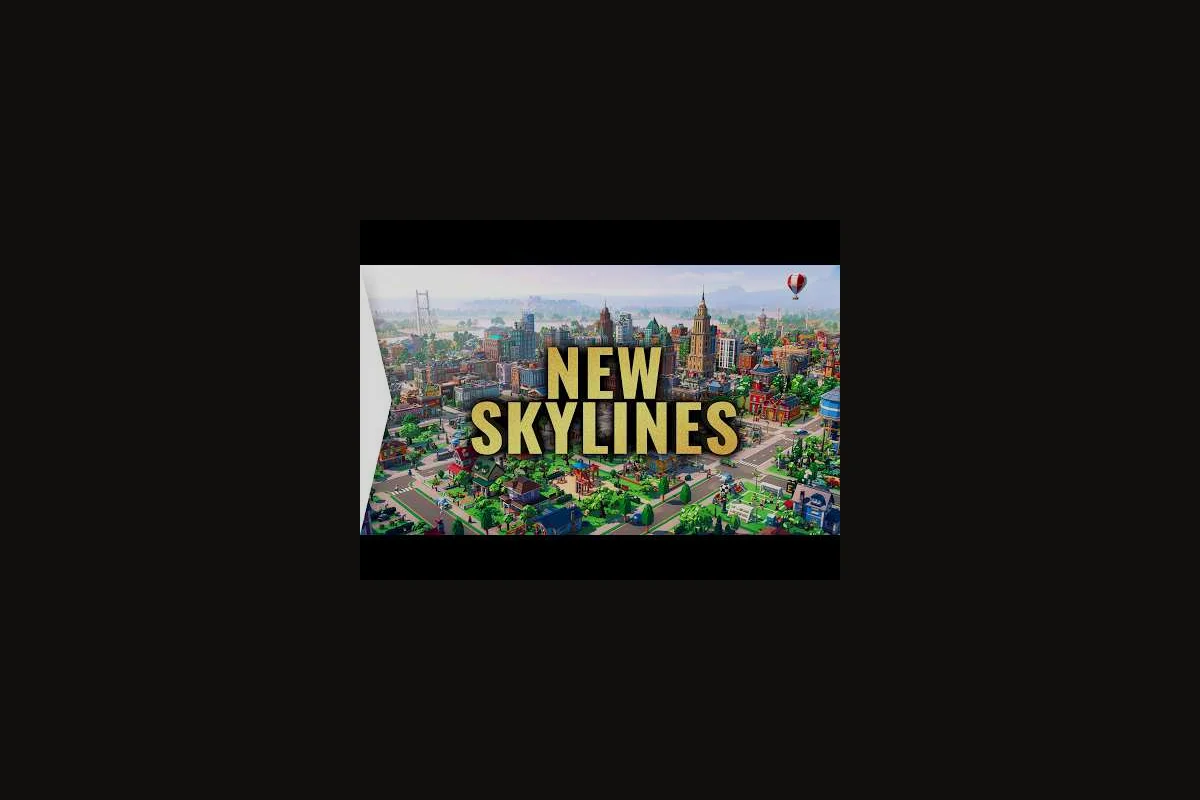
A growing city can collapse under its own weight if districts, roads, and utilities grow faster than the services that hold them together. This LEGO Skylines growth guide walks you through the practical sequence of expansion, so every new block earns its keep instead of draining your budget. You will learn how to plan a city layout that scales, when to fold a neighborhood into a new district, and how to keep food, water, and jobs in step with your rising population.
Planning a Scalable City Layout Before You Build
A solid LEGO Skylines city layout guide starts long before you drop the first road tile. Growth in this LEGO-themed builder is driven by Housing Demand, Workplace Coverage, and Service Reach, and the order in which you place them decides whether your city hums or stalls. According to the official LEGO Skylines page on Steam, the simulation rewards players who manage electricity, food, water, housing, jobs, healthcare, parks, shops, waste collection, and sewage as a single connected system rather than independent silos. Treating layout as a system, not a decoration pass, is the difference between a town that doubles gracefully and a town that browns out at 4,000 citizens.
Map Reading and Road Spine Planning
Every expandable city in LEGO Skylines needs a Road Spine — one or two main roads that you can lengthen outward without tearing up existing blocks. Players on the official Paradox forums consistently describe this as laying the spine first, then branching Local Connectors off it, because the simulation penalizes orphaned buildings that sit beyond service range. A useful rule of thumb from community planning notes: keep your main road within two tiles of any future district center so that a power line or water pipe can later be run without bulldozing finished work.
Plotting Future Districts on Day One
Before placing a single home, sketch where you expect your first three districts to sit. A pragmatic LEGO Skylines district guide approach is to mark a North Residential, an East Commercial, and a South Industrial zone, with a clear buffer of empty tiles between them. Buffers matter because waste and noise from industrial plots will cap the level of nearby homes, while commercial buildings benefit from foot traffic that dense residential blocks provide. A short planning pass on Day One saves dozens of rebuilds by Week Three.
| Zone Type | Best Placement | Key Service to Pair | Common Mistake |
|---|---|---|---|
| Residential | Near parks and water access | Healthcare + Shops | Placing next to industrial noise |
| Commercial | Adjacent to residential | Power + Road access | Isolating from housing demand |
| Industrial | Downwind/downstream of homes | Sewage + Waste | Building before sewage network exists |
| Civic | Central, near all districts | Power + Road | Placing on the far map edge |
The Core Growth Sequence for New Districts
Once the spine is in place, expansion in LEGO Skylines follows a predictable cadence. The official Paradox Interactive game page confirms that players begin with electricity, food, and water before layering in homes, jobs, parks, and specialty buildings, which mirrors how most city-builders handle phased growth. Treat each district as a mini-city that must satisfy the same checklist before you move on to the next one. The discipline of finishing a district before opening a new one is the single biggest predictor of stable population curves in early saves.
Phase 1: Utilities Before Buildings
A district without power, water, or sewage is a ghost town that still costs you upkeep. Community testing reported by players on the Paradox planner wiki suggests that running a Power Line Spine and a Water Pipe Loop before any home is placed prevents the dreaded "abandoned building" debuff that hits when services disappear mid-growth. For an even more efficient start, our LEGO Skylines build order walkthrough breaks down the exact order of utilities, roads, and zoning for the first in-game week.
Phase 2: Housing and Workplace Pairing
Residential demand without nearby workplaces creates long commutes, which silently drains citizen happiness. According to the Paradox Interactive game description, housing and workplaces are two of the seven core management pillars, and pairing them in the same district keeps the Commute Time metric low. Aim for at least one workplace cluster for every two residential clusters, and place them so citizens never cross a highway on foot.
Phase 3: Services and Amenities
Only after a district is fully powered, watered, and employed should you add parks, shops, and healthcare. These services are the polish layer that converts a functional block into a thriving one, and skipping them early is the most common reason new players hit a Population Plateau around 2,000 citizens. Players on the official Discord describe the moment parks land as the "unlock moment" because land value jumps and the next wave of demand arrives within minutes.
| Growth Phase | What to Build First | What to Wait On | Expected Population Lift |
|---|---|---|---|
| Utilities | Power lines, water pipes, sewage | Civic decorations | +200 to +400 |
| Zoning | Mixed residential + workplace | Skyscrapers | +800 to +1,200 |
| Services | Parks, shops, healthcare | High-density towers | +1,500 to +2,500 |
| Polish | Decorations, unique buildings | Theme parks | +500 and land value spike |
District Guide: Choosing the Right Mix of Zones
A district in LEGO Skylines is more than a colored label — it is a bundle of zoning rules, service expectations, and growth ceilings. A well-written LEGO Skylines district guide helps you decide which combination of residential, commercial, industrial, and civic zoning actually fits the land you have available. The key is to read the terrain, the neighboring districts, and the current demand bars before committing to a layout, because once a district is established, retrofitting it is expensive.
Reading Demand Bars and Land Value
The Residential Demand, Commercial Demand, and Industrial Demand bars at the top of the screen are your real-time compass for what to build next. Land value, meanwhile, is driven by nearby parks, water features, low noise, and good services. If the residential bar is green and the land value in your planned zone is high, you can safely build higher-density housing there and watch the skyline grow. If the bar is red, building more of that zone type will simply create abandoned lots.
Common District Archetypes
Most successful saves in LEGO Skylines rely on three or four reusable district archetypes. A Bedroom Community is low-density residential paired with a small commercial strip and a school, designed to feed a larger employment hub. A Market Square district is commercial-heavy with a central plaza, food shops, and a bus stop, built to capture foot traffic from adjacent housing. A Workshop Row is light industrial with shared warehouse space, designed to sit on the edge of the map where freight access matters more than scenery. Each archetype has its own growth rhythm, and rotating between them keeps the demand bars cycling.
| Archetype | Primary Zone | Secondary Zone | Service Priority | Best Map Position |
|---|---|---|---|---|
| Bedroom Community | Low-density residential | Small commercial | Healthcare, Parks | Adjacent to employment hub |
| Market Square | Commercial | Mixed residential | Shops, Roads | Central, near transit |
| Workshop Row | Light industrial | Warehousing | Power, Sewage | Map edge, near freight |
| Civic Core | Civic buildings | Low residential | Power, Parks, Healthcare | Central, all-district reach |
Avoiding Overextension: The Budget and Service Ceiling
Overextension is the silent killer of mid-game cities. You add a fourth district, the tax base wobbles, services slip, and within an in-game month a chunk of your population has moved out. The discipline this LEGO Skylines growth guide pushes hardest is matching the speed of new construction to the speed at which your Income Per Citizen and Service Coverage can absorb it. If either number drops for two consecutive in-game weeks, freeze new construction and shore up what you have.
Watching the Three Early Warning Signs
The three most reliable early warning signs of overextension are a falling Citizen Happiness average, a rising Maintenance Cost line on the budget panel, and a shrinking Tax Income despite a growing population. Each one points to a different root cause: happiness usually means services are lagging, maintenance cost means you over-built civic decoration, and tax income dipping under rising population means commercial demand has dried up. Diagnose the right symptom before spending another brick.
The Two-District Cap Rule
A practical heuristic from the LEGO Skylines beginner community: never have more than two districts under active construction at the same time. Finishing one district stabilizes the budget, frees up your attention, and gives the simulation a beat to catch up before the next wave of demand arrives. This is especially valuable if you are still learning how to build a city in LEGO Skylines for the first time, because it keeps the cognitive load manageable while the systems tick.
| Warning Sign | Likely Cause | Quick Fix | Long-Term Habit |
|---|---|---|---|
| Falling happiness | Service coverage gap | Add healthcare or park | Build services before zoning |
| Rising maintenance | Too many decorations | Demolish low-impact props | Cap decoration budget per district |
| Falling tax income | Commercial demand drop | Add shops or reduce commercial tax | Pair commercial with residential in same district |
| Abandoned buildings | Power/water outage | Repair lines immediately | Run redundant loops on utilities |
Advanced Expansion: Multi-District Megaprojects
Once you have two or three stable districts humming, LEGO Skylines opens up the megaproject layer: theme parks, large civic landmarks, inter-district transit, and decorative showpieces. This is where the city you planned on Day One really starts to pay off, because a well-spaced road spine and pre-routed utility corridors can support massive new structures without service collapse. Players who survive the mid-game and reach this layer consistently report that early restraint is what made it possible.
Building Transit Between Districts
Transit is the bridge that turns two districts into one city. The official announcement trailer showcases busy downtowns, parks, and moving vehicles, all of which imply a transit layer that ties zones together. A Bus Loop between your residential and commercial cores is usually the cheapest first step, while a Trunk Road that skips past local streets is the next upgrade once traffic jams appear. For players chasing the highest land value bonuses, a pedestrian-only Plaza Connector between two civic landmarks is a strong long-term play.
Landmark Placement and Land Value Spikes
A well-placed landmark, such as a central fountain, a museum, or a flagship park, can lift the land value of every plot within two or three tiles. This is where thoughtful district aesthetics choices overlap directly with growth strategy, because a beautiful district attracts higher-density housing, which in turn generates more tax income. The trick is to place the landmark before you densify the surrounding blocks so the bonus applies to new construction rather than retrofitting old buildings.
| Megaproject | Unlocks At Population | Service Demand | Growth Payoff |
|---|---|---|---|
| Central Plaza | ~2,000 | Power, Parks | Land value +15% in nearby plots |
| Bus Network | ~3,000 | Roads, Power | Commercial demand spike |
| Trunk Road | ~5,000 | Roads, Power | Traffic congestion relief |
| Theme Park | ~8,000 | Power, Water, Sewage, Roads | Tourism income, happiness boost |
Frequently Asked Questions
How fast should I expand districts in LEGO Skylines?
Aim to fully finish one district — utilities, zoning, and services — before opening the next. Community testing suggests that two active construction districts is the maximum a healthy budget can sustain, and anything beyond that risks service collapse around the 4,000 citizen mark. If your tax income dips for two consecutive in-game weeks, freeze new construction.
What is the best city layout for a small map?
Place housing in one corner, run a commercial spine along the central road, and tuck a small industrial pocket on the downwind edge. Keep all three within two tiles of your main road so electricity, water, and sewage lines loop cheaply, then drop one park between residential and industrial zones as a noise buffer.
When should I add a new district instead of densifying the current one?
Start a new district when your current one has no empty plots left inside utility coverage and its land value is already maxed, since densifying further will not raise citizen happiness. Check that the demand bar for your next intended zone is green before unlocking new tiles.
Do decorations and aesthetics affect growth in LEGO Skylines?
Yes, but only after fundamentals are covered. Decorations raise land value, which unlocks higher-density housing and workplaces for stronger tax income. The most common early-game mistake is spending the decoration budget before electricity, water, and healthcare coverage are stable across every district, which starves growth. Hold off on aesthetics until each district has full service coverage.
What services should every new district include first?
Lay the road spine first, then immediately connect electricity, water, and sewage before any zoning. Once cims move in, add healthcare, parks, shops, and waste collection to hold happiness, since the official Steam and Paradox pages list these as the interconnected management responsibilities every district must cover.